Oh no, those changes to the user interface

Forum for the PDF-XChange Editor - Free and Licensed Versions

Moderators: PDF-XChange Support, Daniel - PDF-XChange, Chris - PDF-XChange, Sean - PDF-XChange, Paul - PDF-XChange, Vasyl - PDF-XChange, Ivan - Tracker Software, Stefan - PDF-XChange

User avatar
David.P
User
Posts: 1701
Joined: Thu Feb 28, 2008 8:16 pm

Oh no, those changes to the user interface

Post by David.P »

Dear Tracker Team,

Unfortunately, I have to say that am somewhat shocked to see the direction of the design changes to the user interface with the latest build 9.2.357.0.

Now, of all times, at a time when the dreadful¹ and detrimental² trend towards flat, monochromic user interfaces finally has started to wane away³ after a (design-wise) miserable decade – now of all things, one of the most beautiful program interfaces in the world is also thrown on this bandwagon, sacrificing many of the wonderful visual details that have provided for pleasure, enjoyment and perfect ergonomics for its users.

In all modesty I believe that I know what I'm talking about, since I've been using PDF-XChange Editor/Viewer for thirteen years and for a reasonably estimated 15.000 hours.

Although the UI changes could of course have been worse, as was the case with many other software programs, I am still shocked, and hope to find time soon to upload some screenshots that make this as clearly visible as I feel it is.

I believe that this is the first time, ever, since I've started using PDF-XChange Viewer in 2008, two years after its first release in 2006, that I am disappointed and unhappy about a change that has come to PDF-XChange Editor.

Yours,
David
at 03:00 AM
--

¹) reddit.com/r/sysadmin/comments/902oxt
²) nngroup.com/articles/flat-ui-less-attention-cause-uncertainty
³) Although there is room for debate about taste, it is Microsoft, of all companies, that is starting to INDULGE in 3D again: vimeo.com/573224898
⁴) forum.tracker-software.com/viewtopic.php?f=35&t=3801
⁵) web.archive.org/web/20061107130541/http://www.docu-track.com:80/downloads/users
⁶) community.adobe.com/t5/acrobat-discussions/acrobat-horrible-cry/m-p/7112272#:~:text=Acrobat DC so horrible it's making me want to cry. Image

Last edited by David.P on Mon Nov 08, 2021 7:02 pm, edited 2 times in total.
David.P
PDF-XChange Pro
igorlima
User
Posts: 178
Joined: Sat Aug 22, 2020 12:16 pm

Re: Oh no, those changes to the user interface

Post by igorlima »

Personally I'm liking it the update so far, although I found a bug already* but hope that this will be resolved soon and although at first I felt strange about the new UI, later I felt that the program is still smooth as always and in some areas is even smoother and I'm not having problems using the options I always use. So although I really liked the old UI, so far I'm ok with the new one.


* https://forum.pdf-xchange.com/viewtopic.php?f=62&t=37477
Last edited by igorlima on Wed Oct 20, 2021 9:26 pm, edited 1 time in total.
Igor
PDF-XChange Editor fan :)
User avatar
Stefan - PDF-XChange
Site Admin
Posts: 19939
Joined: Mon Jan 12, 2009 8:07 am

Re: Oh no, those changes to the user interface

Post by Stefan - PDF-XChange »

Hello igorlima,

Thanks for your input.

@David - I am afraid that those design changes were caused by Windows 11, and we had to update to be compliant with the requirements of the new OS.

Kind regards,
Stefan
User avatar
David.P
User
Posts: 1701
Joined: Thu Feb 28, 2008 8:16 pm

Re: Oh no, those changes to the user interface

Post by David.P »

Hello Stefan,
Tracker Supp-Stefan wrote: Wed Oct 20, 2021 11:05 am@David - I am afraid that those design changes were caused by Windows 11, and we had to update to be compliant with the requirements of the new OS.
I don't think so – this is virtually impossible.

99.6% of the programs that run on Windows 10 also run on Windows 11, as per Microsoft's compatibility promise:

image.png
https://techcommunity.microsoft.com/t5/windows-it-pro-blog/microsoft-extends-application-compatibility-promise-to-windows/ba-p/2810546

I would love to try that right now with the previous build of PDF-XChange Editor, but I just deleted my trial installation of Windows 11 for the time being.

As mentioned, I shall soon post some screenshots showing what changes I believe are major steps backwards, both design-wise and ease-of-use-wise.

Best regards
David
You do not have the required permissions to view the files attached to this post.
David.P
PDF-XChange Pro
Arnold
User
Posts: 878
Joined: Tue Jun 09, 2009 3:53 am

Re: Oh no, those changes to the user interface

Post by Arnold »

I installed version 357.0 on my Windows 7 machine with my previous settings and did not like the look of it at all. The theme was listed as "Custom" and was primarily a dark shade of grey. The dialog boxes all looked really busy.

Using the white theme and making a couple of adjustments like font size, I was able to get the UI kinda close to "my normal". See attached screenshot.

The Windows 10 machine did not look quite as bad upon installation, but I will adjust it also. I look forward to David's post with his screenshots. I believe he uses the program as much as anyone. Way more than I do, for sure.
You do not have the required permissions to view the files attached to this post.
mCHSNUg5Pz8cPap
User
Posts: 255
Joined: Wed Aug 04, 2021 6:36 pm

Re: Oh no, those changes to the user interface

Post by mCHSNUg5Pz8cPap »

I only recently started using PDF-XChange a few months ago. My first impression was that the UI looked outdated, especially compared to M 365 apps with the Windows 11 refresh and Acrobat DC. I messed around with it a bit and then uninstalled. I tried a lot of other pdf editing software only to find myself looking again at PDF-XChange. I decided to give it another shot. I'm glad I did. It is much better than than the other pdf editors.

I'm glad to see the UI getting updated. So far I like it. I am interested in seeing the things David does not like, however.
Features I really want:
1. Fully customizable toolbars: https://forum.tracker-software.com/viewtopic.php?p=167585
2. Ability to draw curved lines: https://forum.pdf-xchange.com/viewtopic.php?p=178335
User avatar
Vasyl - PDF-XChange
Site Admin
Posts: 2491
Joined: Thu Jun 30, 2005 4:11 pm

Re: Oh no, those changes to the user interface

Post by Vasyl - PDF-XChange »

Hi All.

We are happy to hear all your feedback., we do appreciated it. We recently tried to update our interface to make it a little lighter and more modern. But it is certainly impossible to satisfy everyone with any UI updates, especially on the first attempt. So, for sure, we will continue to update and refine our user interface to provide an optimal and user-friendly look for most people. And if you are not satisfied with any UI-stuff - please just provide a simple screenshot/gif with a short description of what is wrong or even not suitable for you. With this information, we can find the right way in our improvements...

Let's discuss the recent UI update.
Yes, the new UI is 'flatter', but it's actually NOT completely flat (and will never be) as MS Office products are (just compare). Currently in our editor you can still see soft textures, shadows, tiny gradients, rounded panes/tabs/buttons, etc. And the last notable changes are:
1. we removed the glass-effect from buttons on toolbars, dialogs, document tabs, panel headers, because it looks a little outdated and caused significant problems with dark mode of the user interface (specifically when light text is on top of the glass-light effect).
2. we removed the very dark background in the tab bars because it contrasts too much between the active tab and others. It was just uncomfortable for eyes..
3. In the default theme, all dialogs are slightly lighter to better match the current system color scheme.
4. The scrollbars have been modified to not grab the focus on themselves, especially when the mouse/finger is not over them. Actually - why do we need to constantly see the rich but heavy vertical/horizontal bars with a lot of visual details (gradients, glass highlights, shadows, etc.), while we just need to focus on the content of the scrolled window, and 99% of the time it's only important to see where you are in the content (a simple position indicator is enough) and where are the up / down buttons for quick clicking?
5. We changed the context/dropdown menus, other small floating windows - now they are more rounded, have a bigger drop-shadow, and instead of a wide dark border it now has a tiny light border (looks nice in dark mode).

As you can see, such changes are not so significant! So it's not clear to me why the dear David P. was so shocked by the recent UI update, and I look forward to hearing more from him..

Thanks.
PDF-XChange Co. LTD (Project Developer)

Please archive any files posted to a ZIP, 7z or RAR file or they will be removed and not posted.
christian kuhlmann
User
Posts: 34
Joined: Wed Sep 18, 2013 10:33 am

Re: Oh no, those changes to the user interface

Post by christian kuhlmann »

Hi,

thanks for explaining Vasyl.
I hope it is OK to post this here, but it fits the topic title ;-) .

I noticed that with the new update the document tabs (classic toolbar style in single row height) are considerably higher.
(See attached image).
(Vertical lines of the same color have the same height. Vertical lines on each side are bottom aligned.)

I am one of those people that have even moved the menu bar to the quick access space in the title bar to get more vertical screen estate (thanks for buiding an UI that is that configurable). Modern UI elements like ribbons seem to ignore the fact that the ubiquitous widescreen monitors are rarely used in portrait orientation.

I know someone at Tracker tried hard to compensate for the tab height by removing borders at the bottom of the document (and almost succeeded, which I do value), but I still think the tab height could be smaller, at least as an option. Then the new UI would actually be better with regard to screen estate. I'm not sure about the change of colors, but others have stated my objections already, and I might get used to it.

So please add a switch to make the tab-bar smaller.

Kind regards,
Chris
You do not have the required permissions to view the files attached to this post.
User avatar
Vasyl - PDF-XChange
Site Admin
Posts: 2491
Joined: Thu Jun 30, 2005 4:11 pm

Re: Oh no, those changes to the user interface

Post by Vasyl - PDF-XChange »

Hi Chris.
I noticed that with the new update the document tabs (classic toolbar style in single row height) are considerably higher.
Thanks for detailed description. We will try to fix it soon.

Cheers.
PDF-XChange Co. LTD (Project Developer)

Please archive any files posted to a ZIP, 7z or RAR file or they will be removed and not posted.
User avatar
David.P
User
Posts: 1701
Joined: Thu Feb 28, 2008 8:16 pm

Re: Oh no, those changes to the user interface

Post by David.P »

Originally I was going to write some lengthy text about user interface design, and why I strongly believe that the flat design trend is an aberration¹ (that luckily is coming to an end, see my first post above).

In fact, my text was almost finished. However, I changed my mind. Instead, I'd like to let some pictures do the talking.

We professional users not only love the precision and performance of our favorite software tools – we also crave some eye candy from those high-end tools that we use to create awesome content every day.

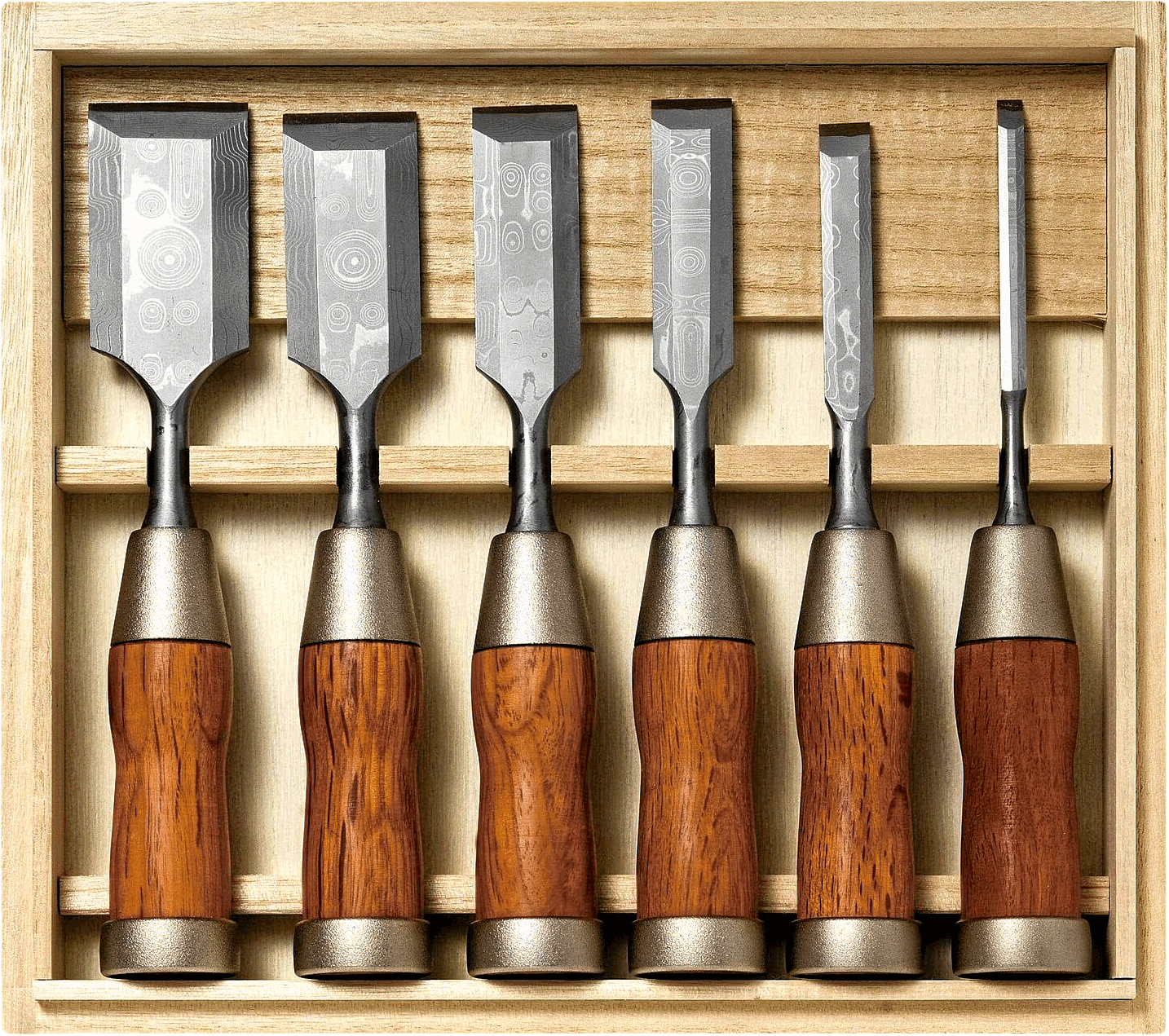
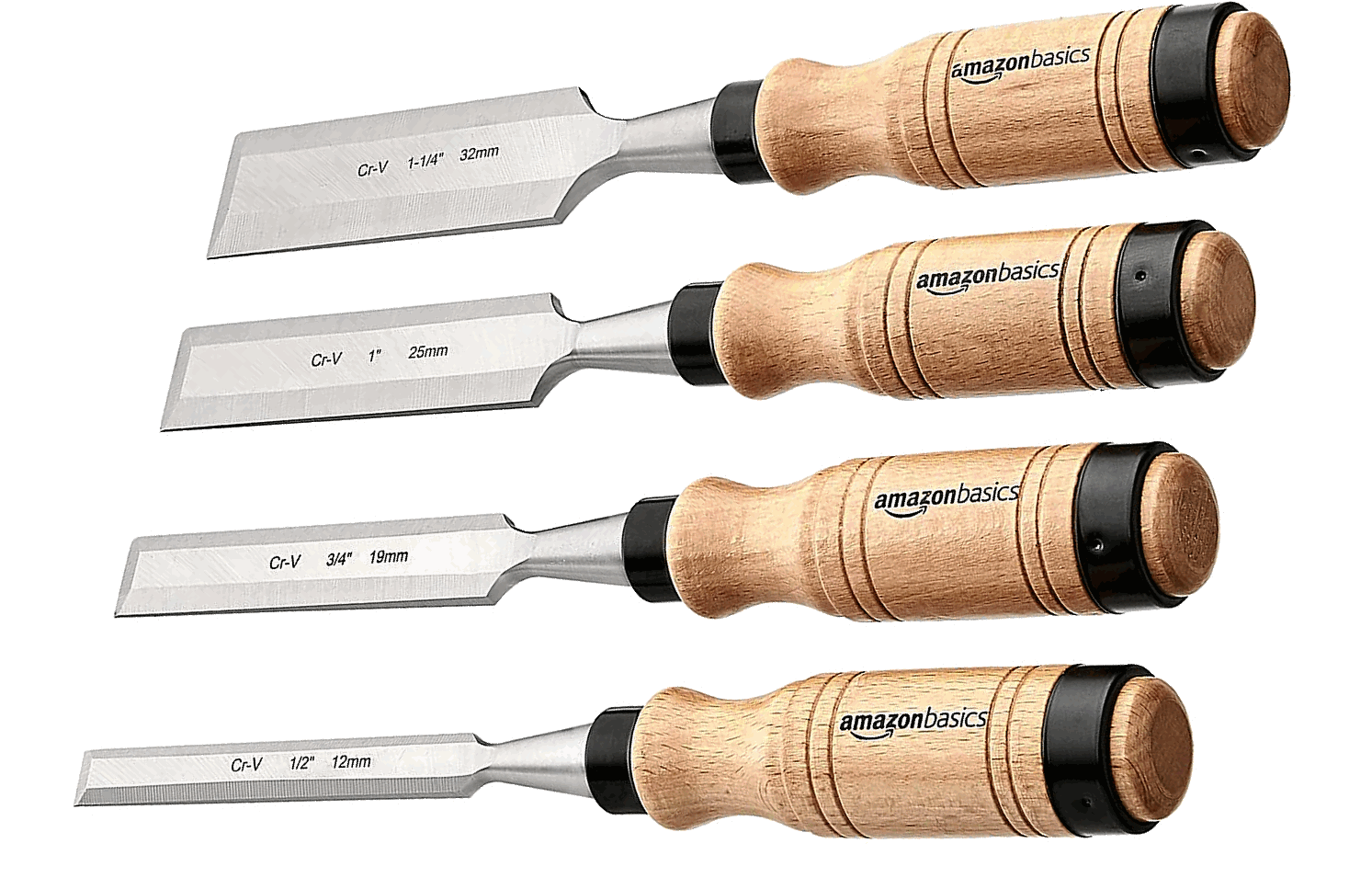
Also, it has always been the case that the finest tools available to the masters of any art look just as terrific and badass as the things you can make with them:

Image


Further, it is simply a fact that PDF-XChange Editor is not only the best PDF tool available, but also one of the finest pieces of software in existence. And that's exactly what it should look like!

Image


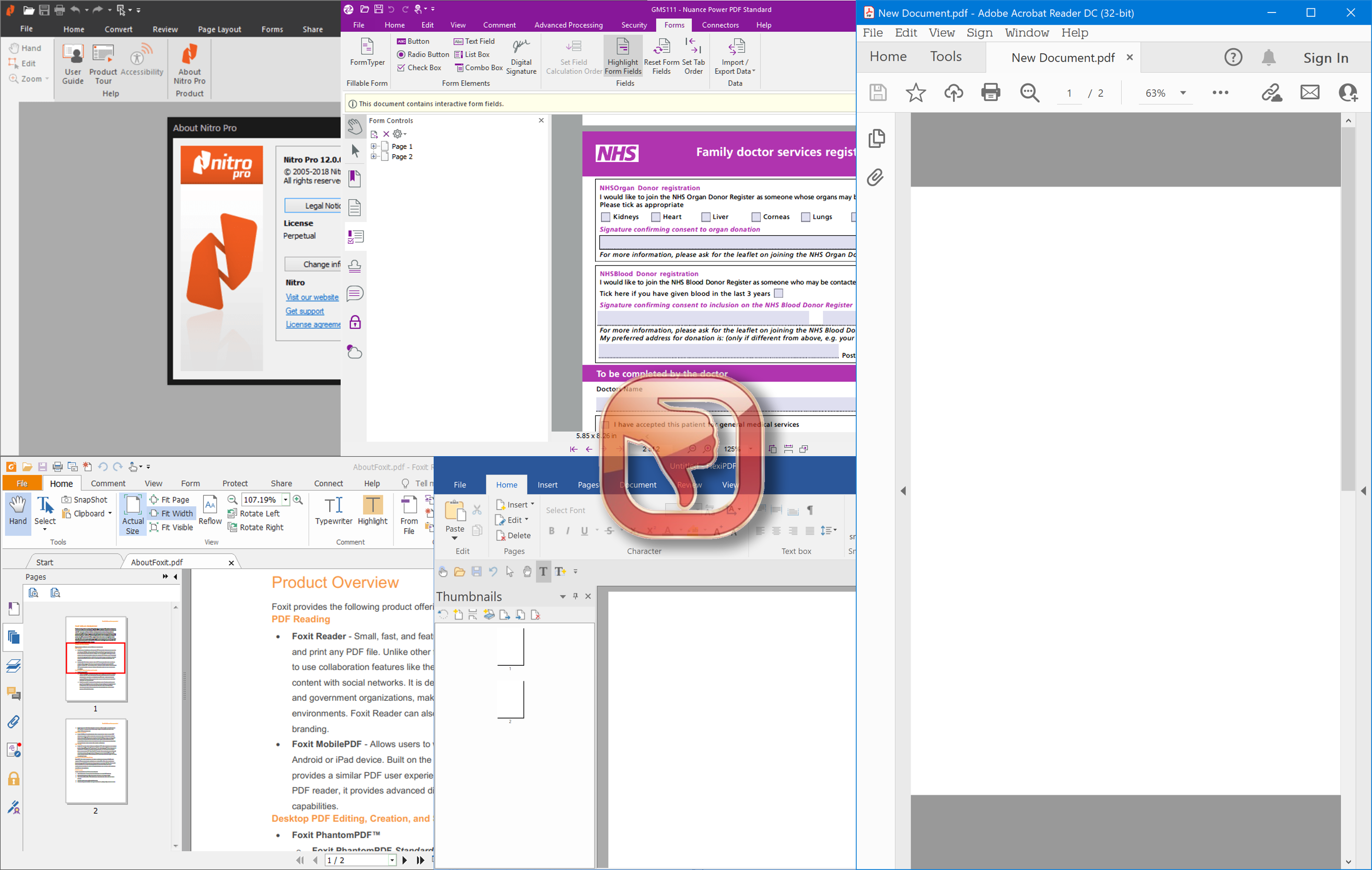
Therefore, dear Tracker Team, please leave the dull-, bland- and flatness to...
...everyone else!


Image

Image=
Image


¹) nngroup.com/articles/flat-ui-less-attention-cause-uncertainty#:~:text=Flat UI Elements Attract Less Attention and Cause Uncertainty
Last edited by David.P on Tue Nov 09, 2021 2:36 pm, edited 7 times in total.
David.P
PDF-XChange Pro
User avatar
Ovg
User
Posts: 480
Joined: Tue Sep 05, 2017 4:56 pm

Re: Oh no, those changes to the user interface

Post by Ovg »

2David.P

https://acegif.com/wp-content/uploads/gif-bowing-62.gif
Last edited by Ovg on Mon Nov 08, 2021 2:20 pm, edited 2 times in total.
It's impossible to lead us astray for we don't care even to choose the way.
User avatar
Stefan - PDF-XChange
Site Admin
Posts: 19939
Joined: Mon Jan 12, 2009 8:07 am

Re: Oh no, those changes to the user interface

Post by Stefan - PDF-XChange »

Hello Ovg, David,

Lets not start 'flaming' at each other even in a joking manner as things could polarize quickly! :)

Each of us has their own preferences and desired for UI, and while flat interfaces have their proponents, so do the new and more modern designs. We as the software developer are trying to both stay current and also appeal to as wider audience as possible - so that's why we still offer the Classic UI mode alongside the Ribbon UI. And whether you or I like it or not - MS are the ones setting a lot of standards, including visual ones, and if the majority of people are looking for a similar ribbon layout as they are used to from MS Office - we have to deliver.

Kind regards,
Stefan
User avatar
David.P
User
Posts: 1701
Joined: Thu Feb 28, 2008 8:16 pm

Re: Oh no, those changes to the user interface

Post by David.P »

I agree Stefan, and I hope it is clear that my above posts are meant entirelly constructive, and ideally helpful for the UI design team.

I'm also sure that OVG, whom I believe is also a power user of PDF-XChange Editor, was not going to flame anybody, but just express his general feelings towards flat UIs, and in a joking manner.

Anyway, maybe OVG can edit out the somewhat nasty part of his post in order to not offend other readers.

For simplicity, I suggest using this string instead "#%❢@★" :)

Please also note that this thread is not about the Ribbon UI.

Ribbon UIs not only have much matured as far as Microsoft's software is concerned, but are also brilliant for the novice user of PDF-XChange Editor, all the more so since PXE's Ribbons are totally customizable.

I shall put together some more annotated screenshots regarding some of the elements of the updated user interface soon.

Thank you
David
David.P
PDF-XChange Pro
User avatar
Stefan - PDF-XChange
Site Admin
Posts: 19939
Joined: Mon Jan 12, 2009 8:07 am

Re: Oh no, those changes to the user interface

Post by Stefan - PDF-XChange »

Hello David.P,

Both your and OVG's comments are greatly appreciated, as well as any other suggestion from anyone else!
I am aware that both you and him are power users, and it was obvious his comment was a joke, so sorry if my attempt to reply half seriously and half jokingly got 'lost in translation'! :)

Please do prepare those screenshot and we will be happy to discuss further!

Kind regards,
Stefan
User avatar
Ovg
User
Posts: 480
Joined: Tue Sep 05, 2017 4:56 pm

Re: Oh no, those changes to the user interface

Post by Ovg »

I apologize for excess expression,
but the MS flat interface has already broke my brain ...

20211108_210446.png
You do not have the required permissions to view the files attached to this post.
It's impossible to lead us astray for we don't care even to choose the way.
User avatar
Paul - PDF-XChange
Site Admin
Posts: 7463
Joined: Wed Mar 25, 2009 10:37 pm

Re: Oh no, those changes to the user interface

Post by Paul - PDF-XChange »

:|
Best regards

Paul O'Rorke
PDF-XChange Support
http://www.pdf-xchange.com
Loki@99
User
Posts: 559
Joined: Sat Dec 16, 2023 11:09 am

Re: Oh no, those changes to the user interface

Post by Loki@99 »

Hi,

I often hear from people that PDFXCE has a very old UI and I somehow agree.

I noticed that the main reason of that old UI feel is the element shadow.

After some work on photoshop, I managed to make a cleaner UI without shadow which matches today's standard.

I also set Main Background and Page Background to solid patern and E9E9E9 color (which is the one used in Ribbon by default).

The solution here is that unchecking Show Overlays Shadows should remove all shadow (from Ribbon, Page border...)

These shadows aren't removed when unckecking Show Overlays Shadows
image(1).png

Current White theme
image.png

Suggestion for a more modern default White theme
Screenshot 2024-08-25 201743.png

Maybe Tracker team will like the mockup and replace the default White theme settings to match it.

@David.P shouldn't be concerned that much as it doesn't remove any UI customization feature.

Thanks for considering this,
You do not have the required permissions to view the files attached to this post.
Major Stylus topics
- RemoveAnnotationsWithEraser T#6903
- MiniPopupMenuOnTextSelection T#6894
- AbnormalSpikes forum.pdf-xchange.com/viewtopic.php?p=179935&hilit=spikes#p179935
- ForceEraserPreview forum.pdf-xchange.com/viewtopic.php?t=42380
User avatar
Dimitar - PDF-XChange
Site Admin
Posts: 2682
Joined: Mon Jan 15, 2018 9:01 am

Re: Oh no, those changes to the user interface

Post by Dimitar - PDF-XChange »

Hi guys.

A new user interface is planned and is currently undergoing internal testing.

I hope you will like it as our developers design everything based on user requests.

Regards.
User avatar
Mathew
User
Posts: 835
Joined: Thu Jun 19, 2014 7:30 pm

Re: Oh no, those changes to the user interface

Post by Mathew »

It's a bit frustrating to me that MS seems to redesign and change their UI on a regular basis, based on some internal need to look more modern (or just to keep their UI team busy.) But then all the other software feels the need to follow their lead.

Invariably, these visual "upgrades" have resulted in dropping some functionality that was very important to many users. In Excel, the amount of swearing in engineering offices must have been astronomical when they switched to the ribbon UI. Dropping functionality for the ribbon even happened to PXE: I cannot put scripts into appropriate places in the ribbon, for example.

So if you have extra money in your development budget to make the UI more "modern" great: But at the expense of adding clicks and/or dropping functionality NO!
User avatar
Daniel - PDF-XChange
Site Admin
Posts: 12928
Joined: Wed Jan 03, 2018 6:52 pm

Re: Oh no, those changes to the user interface

Post by Daniel - PDF-XChange »

Hello, Mathew

I just double checked with our UI lead as this was the first I had heard of any incoming changes or testing as well (I do a fair bit of testing myself), and
  • @Mathew, they have confirmed that while there may be technical changes to the UI (such as adding ribbon tab compatible JS positioning variables), additional theme options/modes, or "button/icon modernization", there will not be any significant Visual Changes to the layout, and certainly no loss of functionality.
  • @Loki, a "more flat/brighter white" theme option is not entirely out of the realm of possibility.
I just wanted to post here to clarify that there are no planned changes to the UI Layout, or button availability at this time. All of the "possible changes" I mentioned above are also things that "may happen - but later", not items which are coming anytime soon.

[Edit] there is one notable change which is coming soon however. A slight modernization of the "pages" sections of many dialogues.
These are not absolutely finalized, but should be remain very much usable in the same way we are all used to, without quite so much clutter from non-currently in use" options:
image.png
image(1).png
I hope you all enjoyed the preview!

Kind regards,
You do not have the required permissions to view the files attached to this post.
Dan McIntyre - Support Technician
PDF-XChange Co. LTD

+++++++++++++++++++++++++++++++++++
Our Web site domain and email address has changed as of 26/10/2023.
https://www.pdf-xchange.com
[email protected]
mCHSNUg5Pz8cPap
User
Posts: 255
Joined: Wed Aug 04, 2021 6:36 pm

Re: Oh no, those changes to the user interface

Post by mCHSNUg5Pz8cPap »

TrackerSupp-Daniel wrote: Mon Aug 26, 2024 10:59 pm image.png
image(1).png
I hope you all enjoyed the preview!

Kind regards,
I like the changes! Will this be in the September update or a later one?
Features I really want:
1. Fully customizable toolbars: https://forum.tracker-software.com/viewtopic.php?p=167585
2. Ability to draw curved lines: https://forum.pdf-xchange.com/viewtopic.php?p=178335
User avatar
Daniel - PDF-XChange
Site Admin
Posts: 12928
Joined: Wed Jan 03, 2018 6:52 pm

Re: Oh no, those changes to the user interface

Post by Daniel - PDF-XChange »

Hello, mCHSNUg5Pz8cPap

"Soon" is all I can promise at the moment, I haven't heard confirmation on when exactly it will be beyond that. :wink:

Kind regards,
Dan McIntyre - Support Technician
PDF-XChange Co. LTD

+++++++++++++++++++++++++++++++++++
Our Web site domain and email address has changed as of 26/10/2023.
https://www.pdf-xchange.com
[email protected]