Forum for the PDF-XChange Editor - Free and Licensed Versions
Moderators:PDF-XChange Support, Daniel - PDF-XChange, Chris - PDF-XChange, Sean - PDF-XChange, Paul - PDF-XChange, Vasyl - PDF-XChange, Ivan - Tracker Software, Stefan - PDF-XChange
=== UPDATE ===================================================================
The issue reported below has been resolved in Ver 10.4.0 build 388.
I appreciate all the hard work and efforts of the support and development team.
==============================================================================
Hello all,
I have found that when inserting blank pages based on document size using the "Insert Blank Pages" feature on the Organize tab, the document size displayed in the dialog may differ from the actual page size inserted. The verification procedure is shown below. See the video for details.
Open a sample document where the first page is A4 portrait (pink background) and the second page is A4 landscape (light blue background). The background color has been changed for clarity, and no other settings have been made.
sample.zip
With the first page displayed, open the "Insert Blank Pages" dialog box and specify the following. The size of the document on the dialog depends on the destination, so in the video the "Destination" is specified first, then the "Pages" (although the final result will be the same regardless of which is set first).
As Destination
Location: After
Page: Current (page 1)
As Pages
Document: 210 x 297 mm
Count: 1
figure.png
However, the size of the empty page inserted based on these settings is A4 landscape (297 x 210 mm) based on the physical page size of the original second page, which is different from the A4 portrait (210 x 297 mm) document size specified in the dialog.
Animation.gif
Hoping that the above information will be of some help to you.
Thank you so much for your continued support.
Best regards,
rakunavi
- PDF-XChange Editor Plus Version: 10.0.1 build 371
- OS Version: Windows 11 Home 22H2 Build 22621.2134
- PC Model: Lenovo IdeaPad C340-15IWL, HP All-in-One 22-c0xx
You do not have the required permissions to view the files attached to this post.
Last edited by rakunavi on Thu Sep 12, 2024 3:36 am, edited 1 time in total.
Top needs for PDFXCE
forum.pdf-xchange.com/viewtopic.php?t=39665 LassoTool
forum.pdf-xchange.com/viewtopic.php?t=38554 CmtGarbled
forum.pdf-xchange.com/viewtopic.php?t=37353 FullScrnMultiMon
forum.pdf-xchange.com/viewtopic.php?t=41002 DisableTouchSelect
Dan McIntyre - Support Technician
PDF-XChange Co. LTD
+++++++++++++++++++++++++++++++++++
Our Web site domain and email address has changed as of 26/10/2023.
https://www.pdf-xchange.com [email protected]
The issue presented above is still present in build 386, but how has it been handled since then? If it has been identified as an issue to be addressed and is already on the list of issues to be improved, I will have to wait patiently. However, if it is not even recognized as an issue, please let me know so I would like to try to explain the issue more clearly.
Best regards,
rakunavi
Top needs for PDFXCE
forum.pdf-xchange.com/viewtopic.php?t=39665 LassoTool
forum.pdf-xchange.com/viewtopic.php?t=38554 CmtGarbled
forum.pdf-xchange.com/viewtopic.php?t=37353 FullScrnMultiMon
forum.pdf-xchange.com/viewtopic.php?t=41002 DisableTouchSelect
Hello Dimitar, thank you for your reply and investigating the status.
For the "Insert Image" and "Insert Text" features, as with "Insert Empty Pages," you can select the document size as the size of the inserted page from the options. However, for these two features, if you specify to insert a page after the current page, a page of the document size of the current page will be inserted as specified. Comparing all three features, you could see more clearly that there is an issue only with "Insert Empty Pages".
Hopefully one day developers will take an interest in this matter.
Best regards,
rakunavi
Top needs for PDFXCE
forum.pdf-xchange.com/viewtopic.php?t=39665 LassoTool
forum.pdf-xchange.com/viewtopic.php?t=38554 CmtGarbled
forum.pdf-xchange.com/viewtopic.php?t=37353 FullScrnMultiMon
forum.pdf-xchange.com/viewtopic.php?t=41002 DisableTouchSelect
I just tossed in the trash a $30 PDF editor I was directed to by MajorGeeks and it turned out to be a 32bit program that was completely useless so then I found PDF-XChange Editor Pro and it's the best PDF viewer and editor I've ever come across. It's V11.0.1. Far superior to Adobe Acrobat. It's 10X faster, has way better view options including side-scroll, and Two-Page view where you can toggle RH LH page which is very useful when viewing instruction manuals because sometimes the instruction page in a manual has corresponding diagrams on the next page and it's hit or miss if the instruction page is an odd or even numbered page and comes up on the left side of the "book" with the corresponding diagram beside it on the right side of the book. And of yeah, the best thing of all, no perpetual subscription fees until the end time. PDF-XChange editor beats Adobe at their own game hands down.
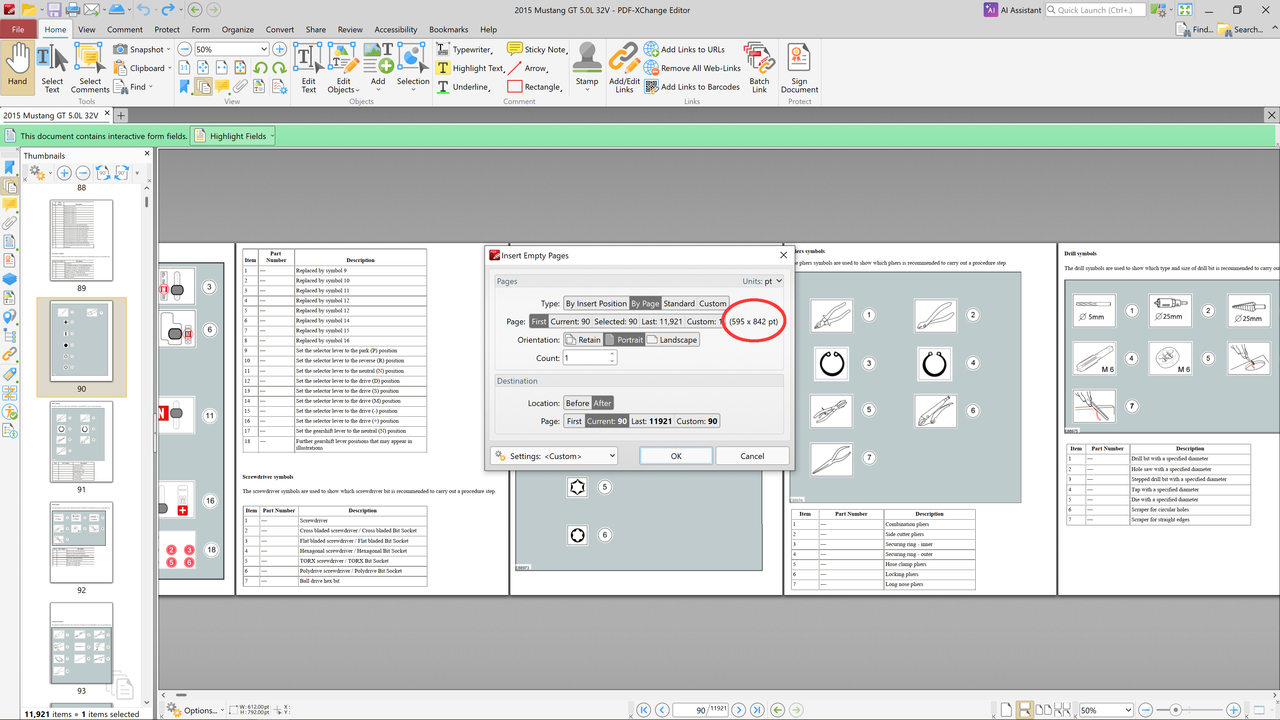
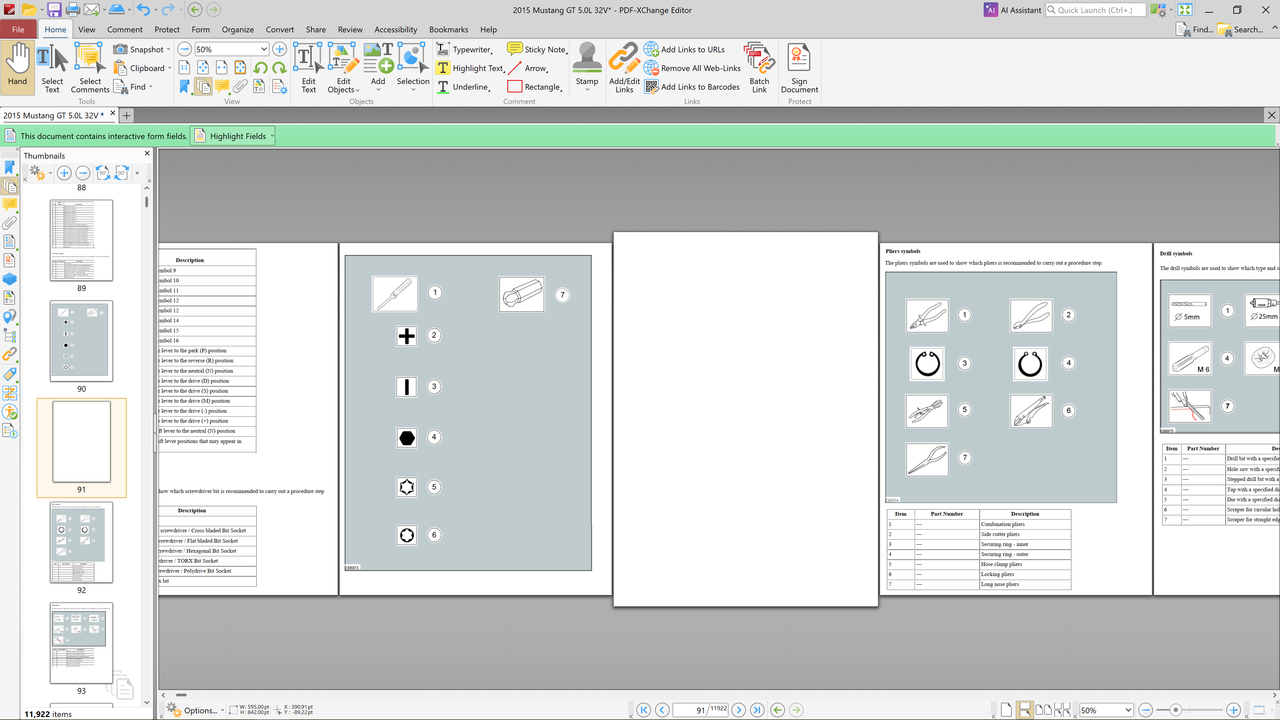
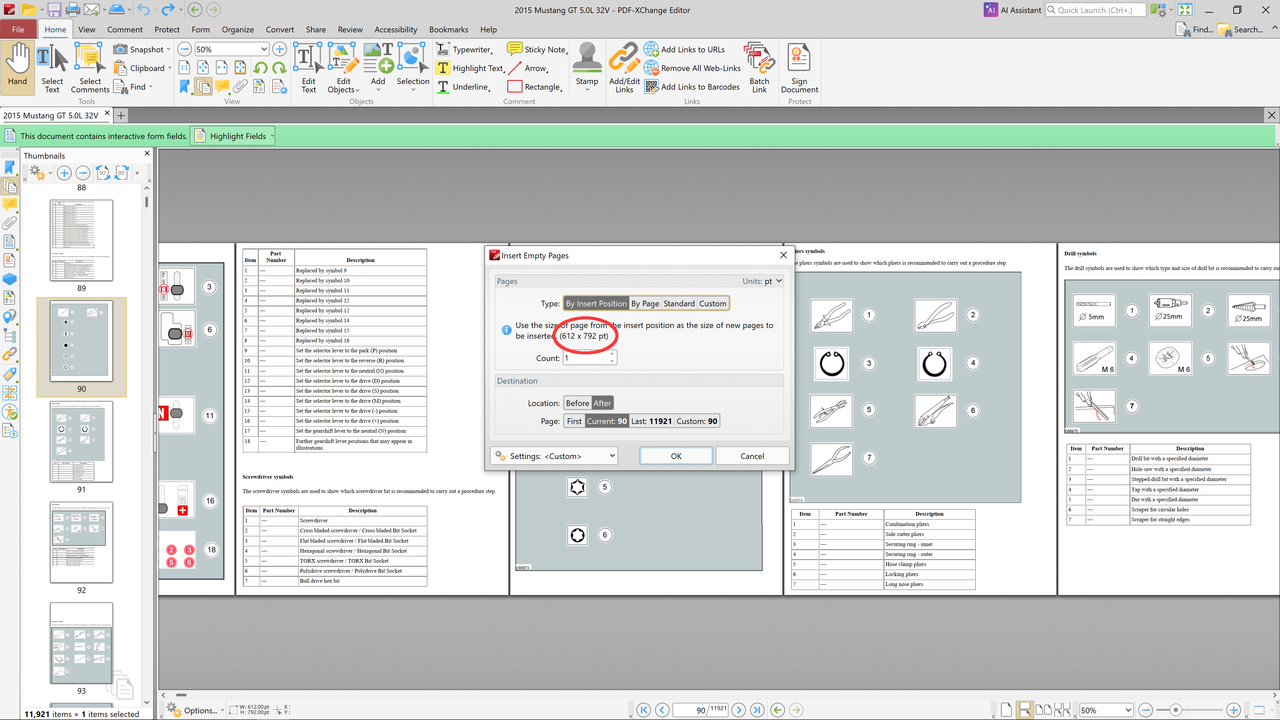
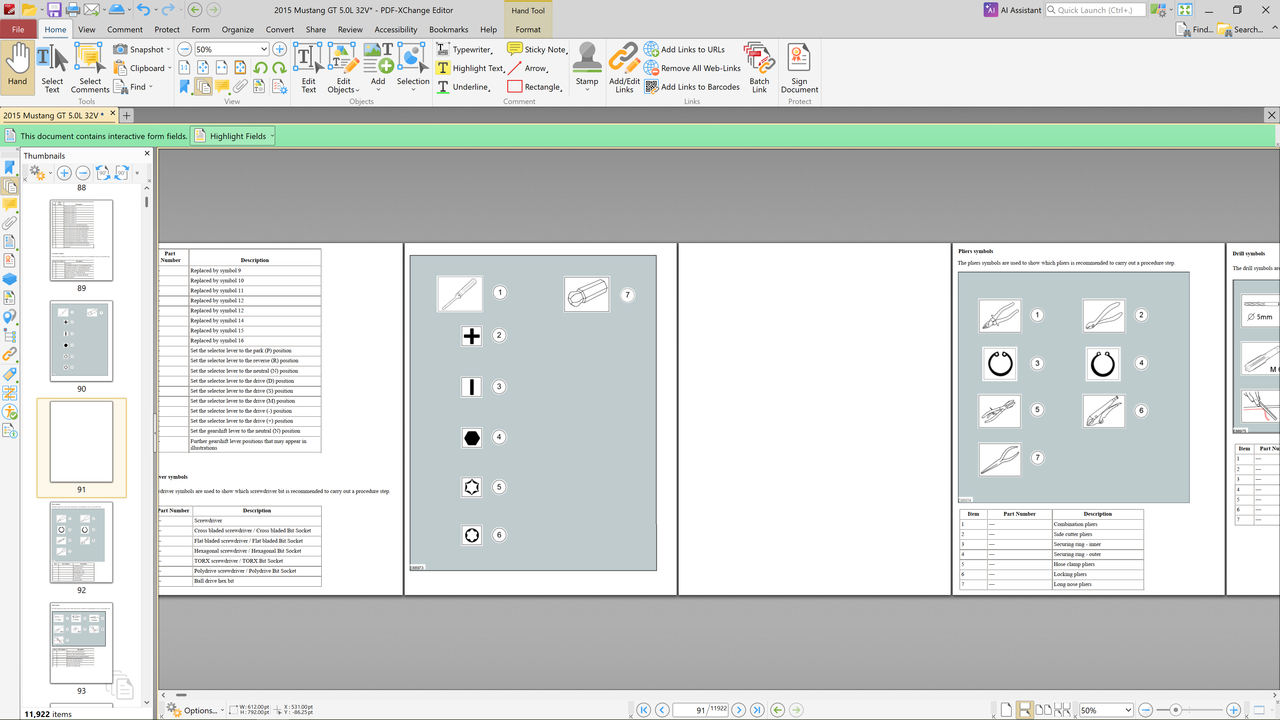
Onto the main subject. I just wanted to post that I was getting a larger page size than the original page size when inserting a blank page using "Insert Empty Pages" also but I found a work around settings that makes it come out the right size. The default setting in the Insert Empty Pages dialogue on the "Type:" tab is set to "Page", and that's the setting I had trouble with. It made the inserted page come out larger than the original document pages. I found that if you change the "Type:" to "By Insert Position" that the page comes out the same size as the original document pages. If you look closely at the page "pt" sizes, they are different between the two type selections. So that's a little bit of a clue. Right now the work around by choosing Insert Position is good so it's not a big problem. I don't know how it determines the pt sizes for the pages in respect to the different "Types" selected.
I wanted to ask an off topic question if I could - when you insert a blank page or delete a page does the program "fix" all the internal hyperlinks so that they stay correct? I would assume it would.
Welcome to our forums and thanks for the kind words! Happy to see you like our Editor and it's so much faster for you!
Thanks for sharing your solution to the page sizes!
And to answer your question - if you are using links pointing to named destinations - those destinations "move" with the page. So e.g. if you have a link to a named destination on page 7 of your file, and then at position 5 you insert two new pages - the named destination will move with the page to the 9th position and any link pointing to it will also stay correct.
Otherwise if you have a link pointing to page #7 - it will stay pointing at that even if you later insert/delete other pages and this causes the desired target to move.
I just want to add one clarifying point. When "Type:" is set to "Page:" described below
Hammer wrote: ↑Mon Jun 29, 2026 6:04 pm
...
Onto the main subject. I just wanted to post that I was getting a larger page size than the original page size when inserting a blank page using "Insert Empty Pages" also but I found a work around settings that makes it come out the right size. The default setting in the Insert Empty Pages dialogue on the "Type:" tab is set to "Page", and that's the setting I had trouble with. It made the inserted page come out larger than the original document pages. I found that if you change the "Type:" to "By Insert Position" that the page comes out the same size as the original document pages. If you look closely at the page "pt" sizes, they are different between the two type selections. So that's a little bit of a clue. Right now the work around by choosing Insert Position is good so it's not a big problem. I don't know how it determines the pt sizes for the pages in respect to the different "Types" selected.
...
it is really referring to the selection, default or otherwise, immediately below it labelled "Page:". In other words, "Type:" is using the election made in "Page:" choices. So, in the screenshot illustrations it is safe to assume the first document page (the probable default page) had the unwanted dimensions that were used as the "Type:" election. If the "Page:" selection had been the current page, the inserted page would have had the same dimensions.
PHK wrote: ↑Wed Jul 22, 2026 1:43 pm
I just want to add one clarifying point. When "Type:" is set to "Page:" described below
it is really referring to the selection, default or otherwise, immediately below it labelled "Page:". In other words, "Type:" is using the election made in "Page:" choices. So, in the screenshot illustrations it is safe to assume the first document page (the probable default page) had the unwanted dimensions that were used as the "Type:" election. If the "Page:" selection had been the current page, the inserted page would have had the same dimensions.
That is correct. Page 1 of the 12K page document is off-sized