
I'd like to propose a feature that would come in really handy in my view.
Often, in order to see what a PDF file is actually about, obviously you have to open it.
Then, while reading or redacting the file, you might come to the conclusion that the file must be saved in a different location. Or, imagine you want to sort a number of PDF files into different folders, depending on content.
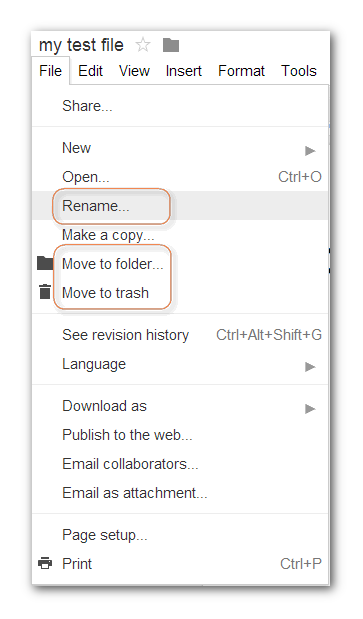
For this, it would be great if any currently open PDF file could be moved into another folder without having to first close it, going to Windows Explorer, find the file, move it to the new folder, going to the new folder, and open it again in order to continue to work with it.
In the same way, open files also could be renamed. It happens to me every day that I am reading a PDF file and find that I need to rename it in order to give it a more useful title. In this case, either I have to close the file, go to windows explorer, find the file, rename it, and then reopen it in PDF-XChange Editor. Another way is to save the file under a different name, and then hopefully remember to delete the previous copy afterwards.
I am of course aware that you can't really move/rename an open file

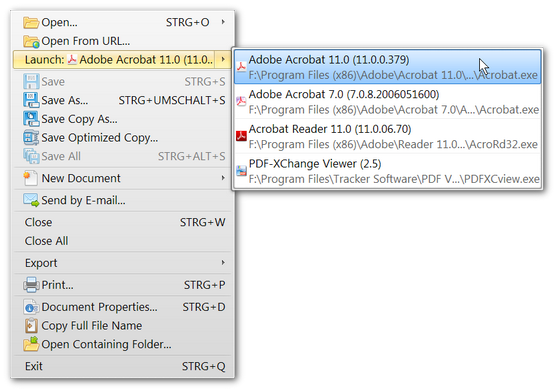
However, if a menu command could be added like "File" -> "Move/Rename", PDF-XChange Editor quickly could close the currently viewed file, move it to the desired location, rename it if necessary, and then re-open it with the same page view and zoom setting. Or, if that should not be possible, technically, save the current file at the desired location and/or with the new name, and then simply delete the previous copy.
This probably would take less than two seconds typically, and all from within PDF-XChange Editor.
Working with PDF files would be so much easier if they could be renamed and or moved while viewing them, like described above.
Thanks very much for consideration!
Regards
David.P
--
PS: It would also be very useful if any currently open PDF file could be simply deleted from within PDF-XChange Editor!



 :
: 



 could actually be made into little helpers for the grand master of all PDF programs, which is of course PDF-XChange Editor.


