Moderators:PDF-XChange Support, Daniel - PDF-XChange, Chris - PDF-XChange, Sean - PDF-XChange, Paul - PDF-XChange, Vasyl - PDF-XChange, Ivan - Tracker Software, Stefan - PDF-XChange
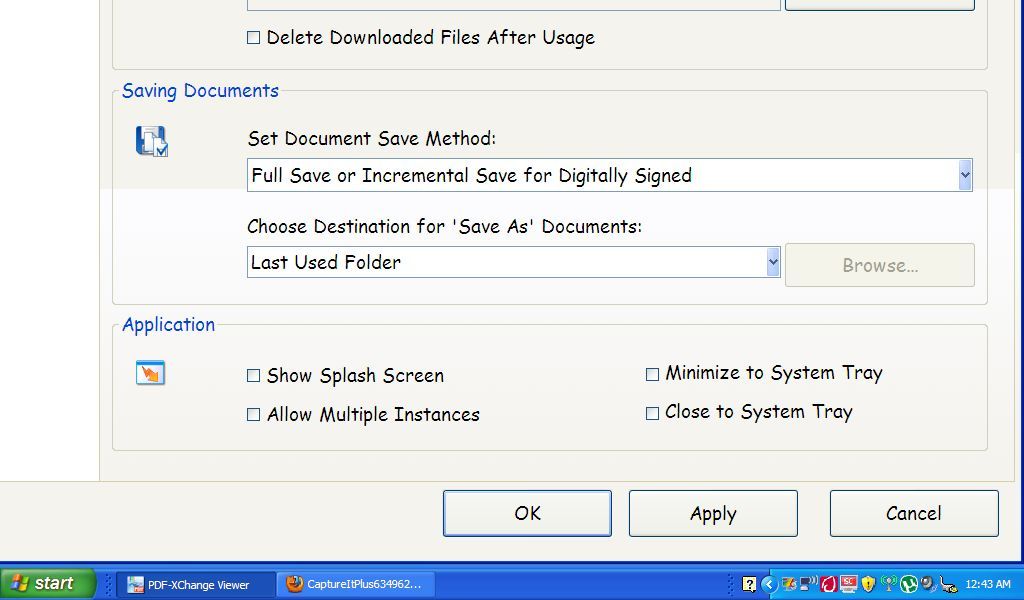
I need to set Pdfxchange as default PDF viewer. Opening Edit --> Preferences give me this screen..
The left hand menu options are completely off the screen as well as the top section. I cannot zoom to fit. Is there any way to get the full "preferences" screen visible?
this is a known issue on several screens when there is a small screen resolution and large system fonts used. Take a look at this and do what it suggests it should give you an effective work around. https://www.pdf-xchange.com/knowled ... -my-screen
V3 should allow scroll bars in dialogue windows so that should then become a moot point.
hth
Best regards
Paul O'Rorke
PDF-XChange Support
http://www.pdf-xchange.com